PRODUCTS
- The Complete Solution
- Product Edition
- Pricing
- Features Overview
- Screen Shots
- Demo Videos
- Hardware Options
- The Paperless Concept
- Trade Shows
- Data Migration
- Case Study
- Why choose Visual Optical RMS?
- 中文
OTHERS
FEATURES OVERVIEW
Customer Records Management |
||
 |
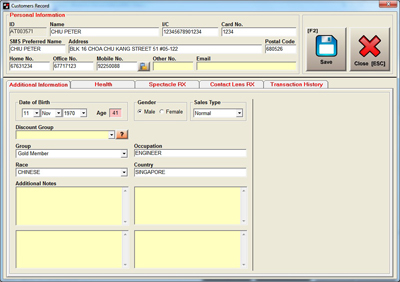
No more searching for customer records through piles of cards as Conventional Customer Record can be totally replaced by this system. | |
|
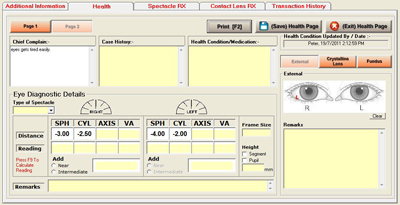
You can even draw on the eye diagram! (such as Slit Lamp and Optic Nerve diagram). | |
|
With the computer managing your customers’ data, all your customers’ transaction history are easily retrieved and you will know who are your most valuable customers. | |
 |
||
Customer Record Card |
||
 |
||
Eye Health Condition |
||
 |
||
| Professional Computer Generated Receipts | ||
| Daily Spectacle/Contact Lens Order and Collection process will be more manageable and faster with the system tracking every one of them. | ||
|
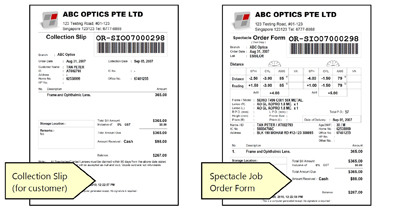
No more issuing of hand written receipts and spectacle/contact lens order-collection forms. | |
|
All receipts/invoices are generated from the system. | |
|
With the Spectacle/Contact Lens Order and Collection function, you can manage all your orders with ease. | |
 |
||
A6 or A5 size receipts |
||
|
||
| Spectacle & Contact Lens Sales Purchases | ||
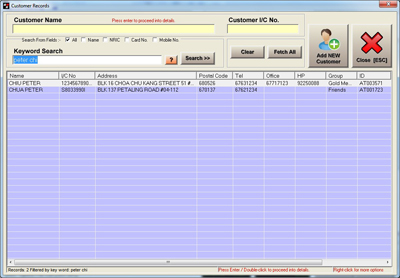
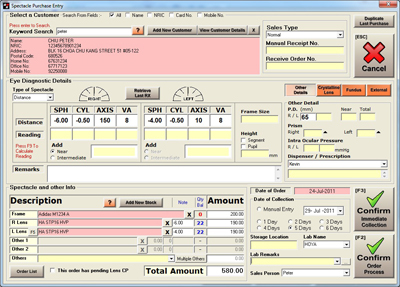
| STEP 1 | ||
| Select Customer / Add New Customer | ||
 |
||
 |
||
| STEP 2 | ||
| Scan Frame & Lens barcode or select by product brand/keyword. | ||
 |
||
|
||
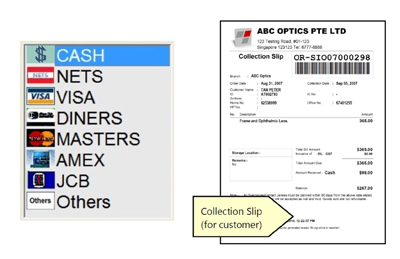
| STEP 3 | ||
| Proceed to deposit payment and print Collection Slip for Customer. | ||
 |
||
|
||
| User Access Control | ||
|
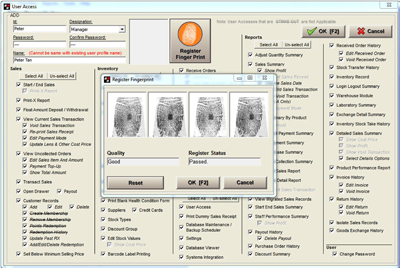
Control and manage your operations by selecting the access rights for different users. | |
|
You can implement biometric login access to system simply by attaching a fingerprint scanner*. Fingerprint login replaces conventional user access by password and ID card swipe. (*Hardware Sold Separately) | |
 |
||
User access rights & fingerprint registration |
||
|
||
| Multi-branch Module | ||
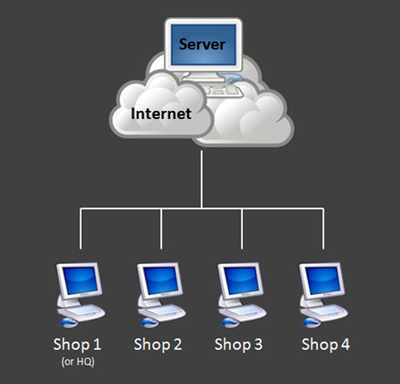
With the Multi-branch module, you can synchronize and maintain one set of data across all outlets, such as (customer records), (inventory) and (user access). In this way, double entry of data is eliminated in different outlets. Other benefits of the multi-branch module includes stock transfer management and a powerful online web-based reporting. |
||
 |
||
Outlets are linked to server through internet |
||
|
||
| Inter-Branch Stock Transfer | ||
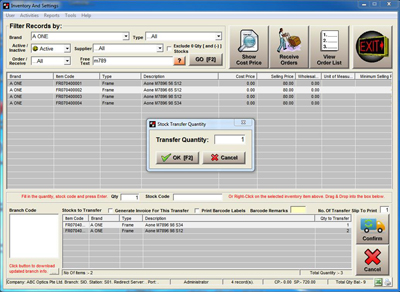
| Transfer stock internally between branches and acknowledge/receive transfers simply by scanning transfer slips. No more double entry of stock from receiving branch! | ||
 |
||
Stock Transfer Function |
||
 |
||
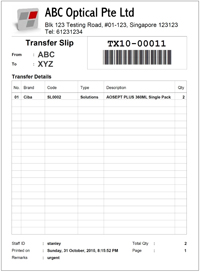
| Each transfer is accompanied by a “Transfer Slip”, which works like an internal Delivery Order. | ||
Stock Transfer Slip |
||
|
||
| Online web-based reporting | ||
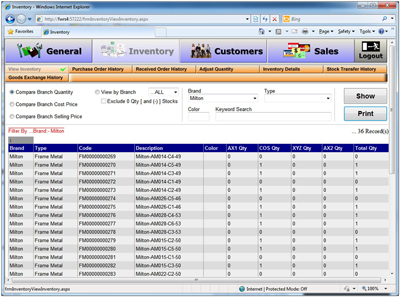
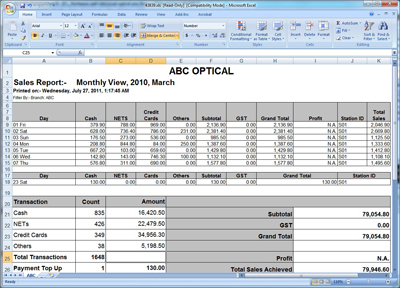
| Sales, inventory and other reports can be access anytime by logging in to the web-based module hosted at the server. All reports can be downloaded and saved in excel format. | ||
 |
||
Web-based interface, Compare branch quantity |
||
 |
||
 |
||
Excel Reports |
||
|
||